

Latest Version
David Skelly
Tools
Mac
Free
6444840143
Report a Problem
More About Notable Utility App
The Challenge of Personalizing Your E-Paper Device
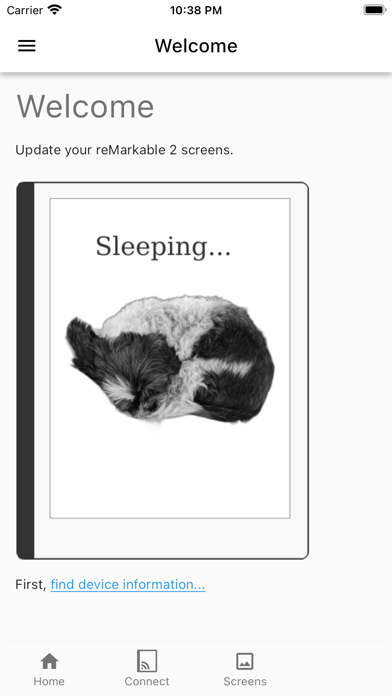
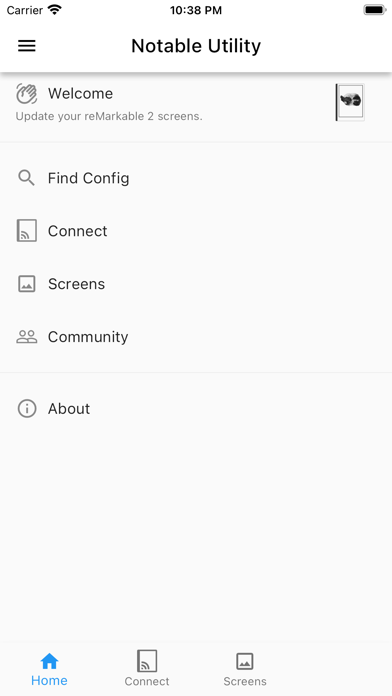
The reMarkable 2 is a highly acclaimed paper tablet, celebrated for its minimalist design and tactile writing experience. However, its default sleep and power-off screens can feel somewhat sterile and repetitive over time. For creative professionals and daily users who want their devices to reflect their personal style or corporate branding, the lack of an official customization interface has been a common frustration. That is where the Notable Utility splash screen customizer comes in to solve this exact problem.
What is Notable Utility?
Developed by David Skelly, Notable Utility splash screen customizer is a dedicated Mac utility designed to give you complete control over your e-paper tablet's visual identity. Categorized under utility tools, this lightweight application provides a seamless bridge between your Mac computer and your reMarkable 2, allowing you to overwrite the default system graphics with your own curated imagery.
Key Features and Capabilities
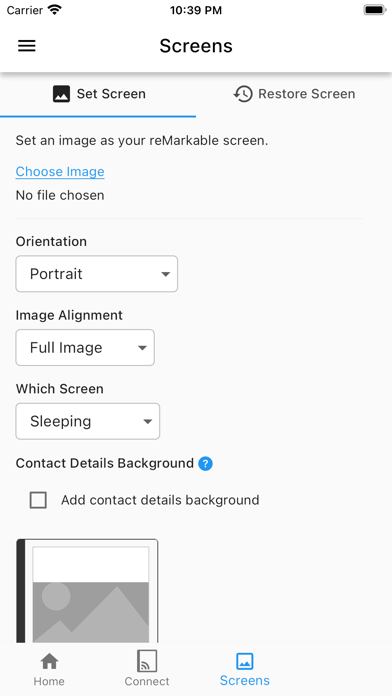
- Effortless Image Selection: Browse and import your favorite PNG or JPEG designs directly within the intuitive Mac interface.
- Targeted Screen Updates: Choose exactly which system screen you want to modify—whether it is the sleeping screen, powered-off graphic, or startup splash.
- Direct Device Saving: Save your customized splash screens directly to your connected device with minimal technical setup.
- Clean, Lightweight Utility: Built specifically for macOS, the app offers a streamlined workflow without unnecessary background processes.
Who is This Tool For?
The Notable Utility splash screen customizer is ideal for professionals who use their reMarkable 2 in client-facing environments and want to display a company logo during downtime. It is also perfect for digital stationery enthusiasts, students, and writers who wish to display motivational quotes, calendars, or custom artwork when their device is idle.
Important Compatibility Notes
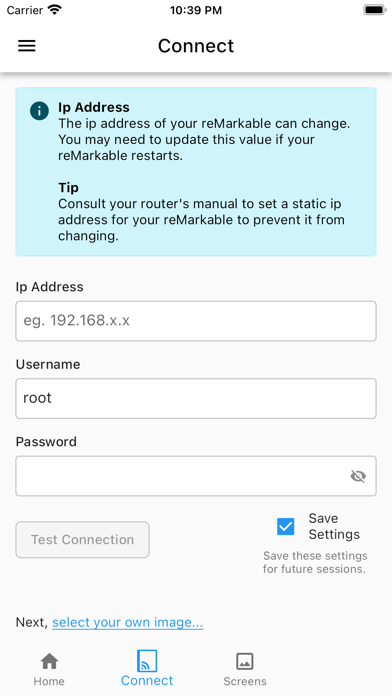
As an independent utility, it is important to note that this software is not officially endorsed or sponsored by reMarkable. It is a third-party tool designed to expand the aesthetic capabilities of your device. Ensure your Mac is connected to the same network or properly linked to your tablet to facilitate smooth file transfers.
Final Verdict
For Mac users looking to add a touch of personality to their e-paper workflow, this utility offers a straightforward, no-nonsense solution. It bypasses complex command-line processes, making device customization accessible to everyone. To explore this tool and begin personalizing your tablet, visit the official Apple App Store to view its store page and download details.
Rate the App
User Reviews











Popular Apps









Editor's Choice